
Showing posts with label project management. Show all posts

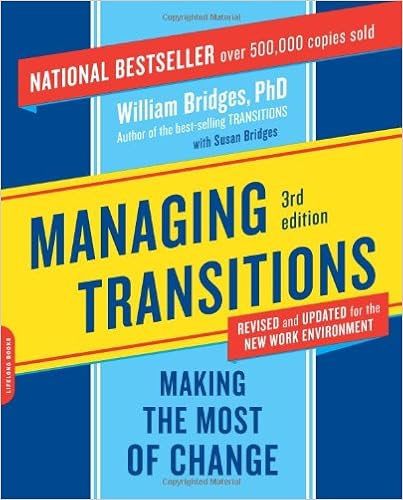
Managing Transitions: Making the Most of Change
By: William Bridges


I liked this book for the most part. The main concept that the book preached is super simple:
Ending -> Neutral Zone -> Beginning
The book dragged on a bit when Bridges talked through lists of tips, questions, and steps to achieve success in these stages, but for the most part these were useful to reference by picking up the book again, rather than memorizing to regurgitate. He did give some great detailed examples at the beginning and end of the book; I wish there were more examples sprinkled throughout like some of my favorite Malcolm Gladwell books. So here is my summary from the book:
  1. Emotions matter: acknowledge them and show them
    • Especially during change, you can feel fear, anger, surprise, guilt, loneliness, or any number of emotional responses. During change you need to encourage people to feel what they feel and not suppress their reactions. Talk about it. Listen and sympathize. And share back. Change is hard and if you can help those around you feel like they aren't doing it alone it will be much easier to make it through it.
  2. Sell the problem
    • Change is happening for a reason. Too many times managers and leaders are too focused on the new and "are we there yet". Your team members are probably a bit behind in accepting it and you need to make sure to spend time on the issue, the why of the change. Only then can people move forward towards the neutral zone and making the transition actually happen... instead of just talking about it.
  3. Change is constant
    • Bridges acknowledged that change often overlaps each other and so having a deliberate end and beginning that happens at the same time for everyone is unlikely. Because of that though, you can encourage innovation and ideas while trying to implement the new change. Of course the something new that is introduced isn't polished and the best method until you start using it so allow for (and expect) tweaks along the way.
UNDO UNDO! Unfortunately, not everything has an undo button. If you delete something, sometimes it is gone for good. If you cut something too short, you can't make it longer! I'm inspired this week by a home project that I'm working on that definitely depends on precise measurements: crown molding!

  1. Double check yourself
    • Literally, "measure twice, cut once". In project management, the first assessment of a timeline can seem reasonable and correct, but then upon a second inspection, you find a dependency that you missed that changes your initial estimate. In crown molding, you might notice your design doesn't quite line up right on a flush joint. Better try again!
  2. Ask for a second opinion
    • I am a big fan of inviting a second pair of eyes to look over your work from a fresh perspective. They may notice something you didn't. Whether it's a missed paint spot or something more serious like a corner alignment, grab a friend and ask for their help. A department manager of the team members on your project might have more insight to schedule conflicts that you didn't know about. For example, vacation times or key financial periods of your client stakeholders that you'd want to avoid.
  3. Prepare extras
    • For precision projects, you just can't skimp by buying only what you need. You will need extra because you will mess up, intentionally or not. I bought many extra pieces and am very glad I did for my molding project. It is better to plan with some "wiggle room" (a technical term for a contingency plan) than to have to scrap it and go to a Plan B with all new material.
Documentation is one of the most essential parts of a good team and yet can also be the most time consuming. You have many opinions, tons of formatting issues, and the endless editing and upkeep of the document. It is a pain when you have better things you could be working on. I am a decent writer, but I do consider myself one of the fastest editors. Why? Because I some tricks up my sleeve. And I'm willing to share them with you!

Intermediate User:
  1. Copy, Past, Undo, Redo
    • We'll start with the classics. Almost all users are familiar with Ctrl+Z for undo, Ctrl+C for copy selected text/area, and Ctrl+V for paste. The ones you may not be as familiar with are Ctrl+X which is cut (so copies and removes), and Ctrl+Y for redo.
  2. Ctrl + Tab and Windows key + tab
    • Switching between PowerPoint, Excel, and Word a lot? These two are key for jumping between windows. Ctrl + Tab is a simple way that displays the program icon. Widows key + tab does the same thing but in a 3-D way showing a preview of each window. Both effective, one is just a bit fancier and the keys are right next to each other.
  3. Windows key + L
    • This is the shortcut to lock your computer. I don't know about your office, but if you walk away and leave your computer unattended, it may get hacked. And by hacked I mean playful IM messages or emails sent by "you" by a inconspicuous user. Always safe than sorry unless you like to be the butt of a joke... or worse.
Advanced User:
  1. Ctrl + arrow
    • While in a word document, don't you reread and find spelling errors, grammar fixes, and other changes that are in the middle of a paragraph? This one lets you jump around the document without using the mouse. Ctrl + arrow left or right jumps to the next word. I love this keyboard shortcut. It allows you to insert a word into a sentence quickly!
  2. Ctrl + Shift + arrow
    • My personal favorite, this extension to the above has completely changed the way I type. I hardly ever use the mouse with these shortcuts - so much so that even with my touch screen it's less efficient. It allows you to jump between words while selecting the words. Fantastic for replacing a word or phrase, cut and pasting a section to another location, and 
  3. Windows key + arrow
    • This one is the keyboard equivalent of the Windows 7 drag to an edge and and snap to size feature. It is great for viewing two windows side by side for multitasking or rekeying. What takes this shortcut to the next level though is that it works when windows are off your screen. So if that top bar is in a place you can't grab with your mouse, you can rescue it to your main screen.
  4. Ctrl + ;
    • This one is a winner for those PMs that struggle in Excel (or Google Sheets), this one will enter in today's date. Want to quickly denote a task as completed today? Ctrl + ; will quickly enter 05/31/2016.

Continuing from Part 1 and Part 2, my advice for scope management goes beyond defining the scope of the project. It must cover what happens if scope creep happens after the initial planning steps. If you want a project to stay on the track of success that was started, you have to have a plan. You must be able to answer these three questions... before they occur!
  • What happens if something new comes up or something comes up that can't be ignored?
    • Does it immediately affect the project and put everything else on hold until this new problem or idea is resolved? Hopefully not. You want to be able to maintain the original plan until proven otherwise so make sure that everyone knows their task and keeps to it.
  • How will change be handled?
    • Okay, so something new has comes up. Is it important enough to implement and change course or not? We don't know, but the PM might know if it can fit into the plan. :-) Make sure you've defined the person or log that keeps track of these items as they come up.
  • What is the process to determine the time and cost that new scope will pose? 
    • Once it's on the list, due diligence can be done just like the original successful scope evaluation. Then they can be discussed by stakeholders at appropriate meetings to make the right decisions. Without a strong process, the power that people have over project success will continue and you can complete milestones on time and on budget!
Today's advice is about writing it down. There is lots of writing to do during a project, but I think the most happens at the planning stage. When you are evaluating scope early on in the project, you are starting fresh. At this point, your job is not to reel them in. You need to simply write down everything that comes up. Even the dumb ideas, the un-doable ideas, and the small ideas. On this recent project of mine, I ran into three situations that I was glad I had written down what I heard, thought, and noted so that I could reference it later.

  • In one case, it was a lower level employee had an idea to simplify her job. It sparked an organizational need that I wrote down to explore further. They had 10 different documents that were all lumped into one. Why? It made it cumbersome to sort through everything when we could create separation; a great idea but did it fit in the scope? It was a small change to management but made a big difference down the line and it quickly took a back-burner to other items that needed more attention. It didn't resurface until the final list was reviewed, it was still there even though it was far down the list. But because it was well documented it was easy to readdress the need and the idea was raised in priority enough to make it into the phased project. This need may have come up again later in the project when it wouldn't be as easy to add, so because I had notes to bring it up again before it was completely off the table, a valuable scope item was defined.
  • In another case, we were at the final stage of the planning phase where certain scope ideas were being tabled to future releases. The important items were the accepted items and the high risk scope. Sometimes you don't want to rehash the items far down the list due to time constraints. However, we reviewed all items, and the nods in the room were good for two reasons. One, they were easy decisions, "yes, this item doesn't meet the scope requirements" for everyone to agree on. Having unanimous agreement is encouraging for everyone. And second, I got a smile from the submitter in that she appreciated the recognition. Her idea wasn't forgotten. It wasn't pointless. It just wasn't in this project. By her facial experession, it was obvious that it meant something to her for her idea to not be lost and that I remembered even that issue. That is key because now, she has confidence in me that I won't lose other things throughout the project.
  • The last case we ran into was the dangerous assumption. Maybe I assume we don't need it, or they assume we can do something with little to no risk. It is never as easy as simply the level of importance on issues. It can be frequency of the need, risk, price (time or money or both), or any number of things. There is a whole methodology in project management to assess value of each scope item. So the final review isn't, "oh can we just add this little thing". Don't assume what it takes to complete something; write down what's promised so assumptions don't fall through the cracks.
Scope creep is one of the most dreaded pitfalls of project management. It can turn any project into a late, expensive, and unhappy situation for all parties. So it's important to communicate and draw the line when you need to. I experienced successful scope management on a recent project - we caught risks early, planned on some changes, and made decisions to nix other changes. We are on track, on budget, and on time so far! Here are some lessons I've learned from this successful management of scope, in a three part series!

The first part of project planning is the analysis of business needs. Early on in the project, ideas are flowing. "What about this?" "Wouldn't that be cool?" "Oh, can we do this?" The excitement is there about a world of possibilities. This excitement is key!
  • Is everyone excited, or just you? Excitement is contagious and so if it's just the management team or the younger crowd that's excited, let them talk about it! Share it around so that you can't hear the Debbie Downer or Derrick Doubter anymore. You need to get as many people as possible on-board and enthused early on for the best results later on.
  • Excitement has momentum and the peak of it is typically at the beginning. Before all of the decisions and change, it is just the familiar coming . It's like Santa Claus and little kids; better be good for goodness sake! You can't let that wonderment die before Christmas arrives. You need to keep reminding them of all the surprises that will make their lives easier with the new software.
  • And lately, it makes your job more fun! It will keep you motivated and working hard if your client is excited about coming to the status calls to hear how things are going. If you can keep the "What's new?" attitude going, you will face smiles at every meeting. And let me tell you, that pays off. We all want to love our jobs, right?
You know the feeling. You're in charge, at the center of the universe, and you're lost. You're project has derailed. You don't know what the next move should be but you can't let your peers know that. There is a science to getting yourself and your team back on track. Here's 3 steps to get you started.
  1. Stop what you're doing
    • You're obviously not doing something wrong. If the project is not on track then that's a pretty good indicator that your future plans (that follow the same thought process) are also going to get derailed. Don't try to doggy-paddle and fix along the way; pause everything before continuing!
  2. Look around you
    • When a door closes, a window opens, right? The obvious and easy path is no longer available but you do have options. Take a look, ask around, and reassess the situation. You'll be able to determine the best next step - you're a star Project Manager, right?
  3. Make a list
    • Take inventory and redefine your critical path. Just like a itinerary on vacation, there is a set time on the shortest route to get from point A to point B on a map. Okay, you want to take a scenic detour but know that if you're rained out one day and have to make up time, that optional route is nixed. Projects are the same way; know the fastest way to completion, even if you aren't taking it right now.
Are you a micro-manager? Maybe you read my last post and thought, "Is that me?". Maybe it is a good time to reflect and determine if it is. I want to however clear up some confusion about micro-managers versus simply being detail-oriented. Making sure no rock goes unturned and everything is given attention, detail-oriented people great for making a project go from good to great.
Here are some defining characteristics about detail-oriented people that do NOT mean you are a micro-manager.
  1. You review things on your own time
    • Okay, so you care about every detail, almost looking for mistakes. It's a lot of work, sifting through all of the little things to make sure it's all right. If you take the time to do so, and not just gravitate towards "omg there's an issue; fix it fix it right now" then you're probably okay. Micromanagers may act like a bird that pays most attention to the shiny things in front of them. Show them you respect their time and look at everyone on your own first.
  2. You ask questions
    • Instead of simply changing something, it is better to learn the reasoning that someone did it the other way in the first place. You ask questions like "why" and "how come", or even "does that mean". Even "what about this alternative" is a good sign that you are trying to find the root of the problem and are being a sleuth, not a micromanager.
  3. You accept the corrections of others
    • When you're pointing out the mistakes of others, is it with the intention of making sure it's right? You probably are equally accepting when mistakes are pointed out to you then and you're happy to make the correction whether yours or theirs to make it right. Micromanagers tend to defend their decisions too quickly instead of trusting others.

Oh meeting minutes, how you are the bane of existence. And yet every time I need you, there you are backing me up. Thank goodness for computers these days with the ability to copy paste, organize incessantly, and search every word. Yet there still must be a few tips to make the weekly annoying but necessary project status notes easier. Well, here are a few!

  1. Code word for No Change
    • Good meeting minutes are consistent and have old and new business. That means every week the same topics and word combinations are on every copy. Whether the first time it was mentioned or weeks after resolved, how can a quick search tell you if it's the one to open with the answers or not? If you have a code word, symbol, or other tell (try all caps) whether it is new or old news, the preview of the search results that match will tell you which one you're looking for.
  2. Use links and embedded documents
    • Everything is online these days, so if you need to reference an email, an external url, or a full spreadsheet, make it easy to find by adding it in. In Microsoft Office, go to Insert > Object and you can even put in full excel spreadsheets. Drag and drop works too from a saved file.Then you don't have to worry about saving it in 3 different places because all will reference a single document location.
  3. Use track changes
    • If you use Microsoft Word for your meeting minutes, there is a great feature called "Track Changes" under the Review tab. You could turn it on from meeting to meeting to know what updates happened at that meeting, rather than just the notes from before. Then, before your meeting, click "Accept all changes" so that your new meeting only tracks changes for the single meeting. Great idea!
I've been asked a lot lately about "how I know to do that" and "what the best way to start this type of project is". The truth is I know what to look for because I've done it before. I'd consider myself an expert at it. I know what pitfalls typically come up. I know what is possible customization and what needs to be explained to the client as "out of scope". I know what all the tiny pieces mean and I can imagine how they fit together. So even though there isn't a secret that I can share to give you the same knowledge I do, here are some tips I have that may help you be a better analyzer of project scope.
  1. First, literally combine expectations
    • Typically on a project, you have two sides that need alignment of scope: the buyer and the seller. Usually in the form of a PO and a SOW or maybe a survey and out-of-the-box standards. Put them all together on a single document by category. Then any questions or notes you or the customer may have will be in the same place.
  2. Second, identify items that need more analysis time
    • Skim your combined document and watch for weight distribution of your comments and the client's comments. A short statement on your side with lots of assumptions is most dangerous. A long description showing a concern area for the client is good news as they have shown they will put the time and care into ensuring that part is done right.
  3. Third, create mini projects
    • Anything that is a custom piece of development needs to have it's own timeline and budget. Even if it's something simple, it needs to go on the list as a separate issue or enhancement so that it can be fully tested and signed off on. If it doesn't get approved, the rest of the project doesn't so don't forget about even the small stuff.

Any project manager at home or at work knows that money is easy to spend and hard to manage. It is never fun asking for more from the client or your boss so you need to save wisely. This holiday season, it seems appropriate to talk about decision making for spending since giving gifts is fun and it is easy to overspend. Here are a few tips!
  1. Don't double down
    • Have you ever bought a second gift because you aren't sure if the first one was good enough? Don't do it! You probably bought the first one with similar reasoning and whether it's a backup or replacement, you will always end up with one you use and one you don't. So put it back, and only keep one!
  2. Measuring big and small
    • Do you buy 5 small things so that it adds up to one big thing? Don't! If it's about how much money you spend and not the value it means to the person, you probably aren't doing it right. Take a deep breath and just buy one thing no matter the cost. If you really feel the need to dress it up to be something fancier than add a big bow to it instead!
  3. Spend money on time
    • Remember that the best things in life are free? My favorite thing to ask for is more time together. A promise to hang out again, to visit, and have dinner together then is worth a lot more than some technological gadget. In business and at home, your time is worth more to me and makes me feel more special than any fancy book or software.
I thought it might be useful for some to hear my story about studying for the PMP or the CAPM exam. I did not do the classroom route or the bootcamp expense. I studied alone but I didn't go it alone as I had a support network of mentors. I was also audited. I also failed my first attempt. So here's some studying tips!

  1. Immerse yourself in it
    • Whether that is a bootcamp for 40 hours straight, a routine study group once a week, designated study time every night, you need constant interaction with the content. Even if you're a PM at your regular job, the fundamentals that are being tested are very cut and dry; you need to study for the exam like you would a psychology exam. I highly recommend Carl and LeRoy on the PMP Exam Prep CDs. I'd listen for an hour a day on the way to work and back.
  2. Practice answers
    • Anywhere has test questions, but what you really need to do is go over the answers of the ones you got right and wrong. Many questions don't have one right answer, there are 3 good answers and 1 better answer and you could easily talk yourself into any of them. Rita in the PMP Exam has great explanations. Read the thought process to train yourself to do the same.
  3. The project life cycle
    • I struggled with these questions the most. Does this action happen in planning or monitoring and controlling? Memorizing orders isn't enough; you have to carefully watch the verb used in the question to get it right. Are they creating project members? Identifying them? Or assigning tasks to them? It seems simple, but since the books and materials typically train by section, these questions sneak up on you.


Does the PMP prepare you for a job as a Project Manager? I think it does emphasize the tools and processes needed to be good at it. Experience and networking will help you become a great one, which the PMI community emphasizes as well. I think it's a great group to be a part of!


Here is my version of the good, the bad, and the ugly. A good project manager (PM) has good organization skills and good listening skills, sure, but here are a few things that I think can make or break a PM. The clincher? You can BUY all of these things so it should never be an excuse to stand in your way of going from good to great.
  1. The Obvious: Calendar
    • Every PM needs a good piece of software to do their job and the more people and schedules involved, our jobs become exponentially more complex. (N * (N-1) / 2 in fact). You must have a good calendar that you can move one dependency and shifts or warnings pop up. You must manage holidays and vacation days of your team members too. Pay for the good stuff and you will never regret it.
  2. The Great: Bad Jokes
    • PMs are the ice breakers whether they like it or not. PMs are the bearer of bad news, whether they like it or not. They always find themselves in awkward situations, which is why maybe they are so quirky. So having a back pocket story and funny helps avoid the small talk and anticipating killer silence. And go buy a joke book if you aren't a comedian yourself.
  3. The Annoying: Headset
    • We are people persons and we have to stay well connected. Send email, create videos, write documentation and presentations, call stakeholders. You have to be easy to contact and easy to hear so having a high quality headset is key to being able to refill your coffee or block out the neighbor-cube calls while on the phone.
Happy Monday!


I saw a great article today (admittedly on Facebook) on the fact that yes, you do use the Algebra every single day. And that dogs do complex calculus. I love this! Sure, there are actual equations we sometimes make like calculating tip on a restaurant bill, counting billable hours this week, estimating time to completion but there are more subtle ways we use it too and I think really good project managers know these.
  1. Knowing what time it is
    • We all know that PMs spend a lot of time waiting on a critical completion stage before sending out notices. Good PMs are always aware of the clock and approximating time remaining. This is during meetings, allocated development time, or overall project health, PMPs are great at telling you the current time. The clock doesn't lie. And they will always be quick to tell you that no, you really do only have 4 more days or it'll cost more money.
  2. Turning data points into max, min, and mean
    • Red flag! Showstopper or minor delay? PMs know projects and they know when things are just a setback or a major rework. Being able to identify outliers is important, and to get outliers you need to define your boundaries of normal. PMs are great at drawing the line and knowing when enough is enough or to hold their breath again.
  3. Values to percentages
    • How far along is the project if 5/100 things are done? How many of the 42 test cases need to be run before we can do a beta release? PMs are experts at the 80-20 rule and are always looking at how much more than how many. Being able to quickly translate dollar values to profit and convert numbers into meaningful statistics is what makes PMs great.

It is always about half way through the second week that the small talk turns a bit more personal. You've covered the weather, local restaurants, feelings about the project, etc. and you're out of polite conversation. It's not that you aren't friendly but you know that you won't ever see these people again after the project is over. So how much do you share about yourself? What types of questions can you ask to keep conversations at a safe distance?


  1. Local Weekend Vacation Spots
    • Telling a good story can easily go on for many minutes and if you are visiting a client long term, then asking about what to do for fun on the weekends can be two sided. Do you go to the local state park, the near-by waterway, downtown bars, or the museum? Close or far? It is a friendly topic that you can learn about someone else on a personal level, what they like and don't like, without getting awkward.
  2. Movies
    • There is always something new coming to the local theater near you (like Jurassic World or Inside Out this week!). Whether you like romance or action, silly or serious, there is probably something you can share about a favorite actor/actress or director. A lot of movies these days are remakes or sequels or TV shows are still safe topics. This is great too because you can search or watch something new in your hotel at night to to brush up on their favorites if you need to take that extra step to make friends.
  3. Sports
    • This does have the stipulation of actually knowing about sports, but if you hit a nerve you can have a great thing in common that will forever be a go-to conversation starter. I love football (as you know from reading my blog), but if you talk about college basketball, you've lost me. Even if it's not your thing though, it may be theirs and they will be happy to talk about their trips to the stadium, trading players, and whatever other gossip is in the news.
I am an engineer by heart and yes, I can read binary. I think that the basics of computers are simple and graceful way to evaluate things and when I started thinking about it, there are a lot of applications for the on or off, true or false, one or zero, way of binary. Get inspired by math and see how a little technical thinking can make your projects easier to deal with.

Here is our example:

01010000 01001101 01010000

Step 1: Know how your processing power.

    • A computer is limited by RAM and the processor to how many bits it can do at once. Projects also have limited power by how many people are on the team. You need to know how many people and what their workable hours are that they can dedicate to the project. You know that they can't do all 120 hours of work in one week!

Step 2: Break it down into bytes and bits.

    • A byte is typically one full character (255 options) so in most instances that is 8 bits. The above example is 3 bytes. You have to read each byte individually before reading the next one. Each byte is like a stage of the project such as planning that must be completed before development can start. Don't even try to read ahead; stay focused and do one at a time.

Step 3: Zero or one, not done or done?

    • The classic problem in project management is the answer to the question "Is it done?" and you get the answer "Almost". There is no grey in binary, no maybe. It is either all the way done or not. By limiting yourself and your team to the strict yes or no you can quickly know that status of your project step, project stage, and project deadline.

Special props to those of you that figure out what the example above actually is!
I just watched the movie In a World (Netflix!) and boy does it show you a real world example of getting exactly what you wanted. It never is with all the rainbows and piles of money that you imagined but I think it demonstrates the human aspects of true happiness and achievement. I'll try not to ruin the ending, but really the little wins throughout this movie make you rethink the little victories that you yourself have had. Maybe you don't give them enough credit?

  1. Things that don't happen
    • Aren't you glad that you haven't had to deal with some of the drama that fills the movie world? Death in the family, car accident, heart break, to name a few. Thank goodness none of that has happened recently (knock on wood). Be supportive of those that go through tough things because even if you can't relate, you know surviving take a lot of effort.
  2. Others noticing your efforts
    • Did your boss come directly to your desk and tell you good job? Did your quarterly numbers make all the other teams look bad? Sometimes we glance over these major accomplishments and jump into the next one too quick if we don't get a giant party. Sometimes we want more recognition for the amazing things we've done. Well,  there might not be a fanfare but it still counts and people went out of their way to say so. But they are still there so stop, smile, and be proud.
  3. Silent wonder
    • If you are someone's hero, you probably don't know it. Whether your kids, a mentor, or an intern at work, your experience and the skills you have are seasoned and what you've accomplished is impressive. I bet there are those that quietly and politely wonder how we did it and want to be like you. Take a look around and see who watching you and you may realize that your talents are appreciated more than you expected.
A little bragging of my team: successful day one completed! When you are introducing massive change to nearly 200 people all at once, it can be overwhelming. One bad attitude, one misunderstanding, one mishap and slow correction, can quickly domino the day away... and none of that happened. It was because we have a great team and because meticulous planning was done. Here's what I learned from observing this success.
  1. Give them tunnel vision
    • When you have 20 things to learn, start with 10. Or even better, start with 5. Narrow what people have on their plate to divide and conquer. If you plan and communicate that they only need to worry about their portion of the pie, there is less amount to worry about. Stress can be managed by workload (to an extent).
  2. Keep the code names
    • If you named the project some silly acronym at the beginning, just stick with it to the end. Don't change it because the terminology can easily become a barrier if there aren't people that can remember it. The little things can turn into big things if they trigger an emotional response. Keep it it simple to avoid frustration.
  3. Write it down
    • Wow was I impressed by the notes each person took, the training booklets on everyone's desk, and the helpful hints online at their fingertips. It made questions easier to answer or even solve on your own. When you have a reference point like a diagram, screenshot, or example that triggers that memory of "oh ya, do that next" you can see progress from hour to hour. Amazing!
Hats off to all the effort my teammates put into this project. Congratulations!

My inspiration this week comes from a great article full of tips from TED talk speakers. The last one states that "If you have thirty minutes, take 25. If you have an hour, take 50." They say that you are respecting your audience when you are conscientious of their time. Whether it is a TED talk you listen to by choice or a routine meeting that you have to attend, finishing early can earn you a lot of respect back! Here's a few reasons why.
  1. Get on to the next thing quicker
    • We know you are ever so important and are running from one meeting straight to another. And when it is down 3 stories or a virtual meeting that requires 2 different hookups to get connected, travel time exists. After your 8:00 am meeting, all of a sudden you are late to every following meeting that day. Give them time to get where they are going and your audience will thank you.
  2. Be succinct
    • Ending your assigned time early doesn't mean you ran out of material for your audience. It means you took the time to compose your thoughts in a simple yet effective way. People love when you keep things simple for them to understand and you can get to the point quickly so they can make decisions.
  3. What if scenarios
    • You know it happens: the projector breaks, there are tons of questions, a surprise dependency comes up. Any project manager or meeting manager knows it is inevitable and you have to be flexible for whatever happens. If you give yourself and your meeting that extra time built in, dealing with mishaps will be tons easier for everyone!

It is no lie that even with all of the great minds, great resources, and great intentions that projects can still fall apart. It is frustrating when dealing with missed deadlines, budgets, or worst of all, both. So what can you do if you are off track? Well, obviously you need to change what you've been doing.

Here are some ideas:
  1. Add or remove one project person
    • Sometimes you need some fresh blood, or to figuratively spill it. By adding or removing one person you can change the dynamic of the project team. Remember the communication channel equation: N(N-1)/2 ? How people interact with one another whether it is bulldozing decisions or passively agreeing to everything can change if you change the involved parties.
  2. Add a personal touch
    • When you get wrapped up in tasks, agenda items, and meetings project members may begin to coast. Get their attention by doing a kickstart like when you did a kickoff. Do a ice breaker game or another team building activity. For example, take the meeting off-site, bring in lunch for a socialized hour, or tell some personal stories/jokes to get everyone in a collaborative and friendly spirit.
  3. Give them the time of day
    • I know, you are busy. They are too busy tackling all sorts of problems in conjuncture to your project. Sometimes all you need is a break, mental or physical, to get rejuvenated. Take the time to talk to each of your project members and ask them about their vacation time or about anything else that is not project related. They might feel tied down and so give them the benefit of the doubt and a little freedom and then the renewed energy will come back around eventually.
As you can tell, I'm an advocate for positive reinforcement. It is easy to get bogged down by the snowball affect but a little smile and pat on the back can go far. Tell someone today about how their efforts have made all the difference in your project!
Follow me on Blogarama